

The node canvas
A deck has three views, on the switch at the top right of its page: Cards, Table and Node. Node is a deck’s default view, and it answers the question the other two can’t: what does this card do to the others?
It’s an ordinary view, not a mode. The same deck, the same cards, the same clicks: one click selects a card, two clicks open it.
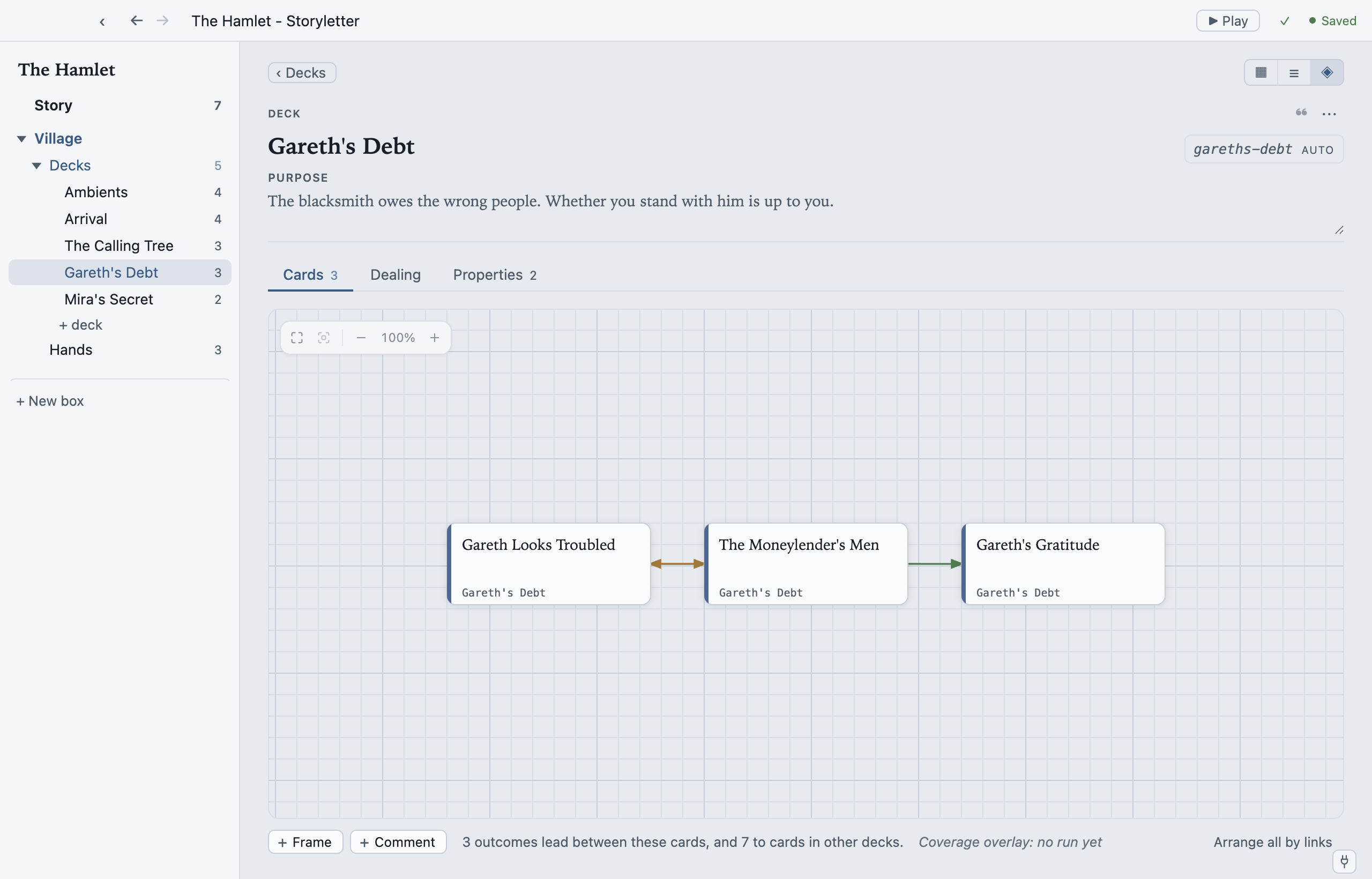
What the arrows mean
Section titled “What the arrows mean”Storyletter reads every card’s condition and every outcome’s changes, and draws an arrow when one card’s outcome moves state that another card’s condition reads:
| Arrow | Means |
|---|---|
| enables | playing this card’s outcome makes the other card’s condition pass |
| disables | playing it makes the other card’s condition fail |
| influences | it moves state the other card reads, but which way depends on the values (a nudge against an exact match, or a read inside arithmetic) |
| references | neither card writes it: two cards read a property nothing in scope sets |
That last one finds a whole class of mistake: a group of cards all gated on a property nothing ever writes is content that can never appear, and the reference arrows make it visible.
You never draw an arrow yourself. Change a condition and the arrows change with it.
Arranging
Section titled “Arranging”Drag a card and it stays where you put it. Nothing moves your arrangement on its own: not
a save, not an undo, not switching to Cards and back. Arrange all by links (L) lays
the cards out by their dependencies; with some cards selected, it arranges just those.
The story’s flow reads left to right, following the enabling links first; cards nothing
links to wrap into rows below it. Cards that enable each other in a loop share a column
and the strip says so.
Positions live in view.storyletview, the
arrangement shard, which holds positions and
never content: delete it and you lose a layout, never a card.
Where you were looking is remembered per deck and restored when you come back.
The rest of the canvas
Section titled “The rest of the canvas”Everything a map offers on its canvas, this one offers too: right-click
for New card here; Frame draws a titled frame behind a group of cards; Comment
drops a comment marker on the canvas or on a card. The zoom
control sits bottom right; Home fits everything and F fits the selection. The full key
list is on Keyboard shortcuts.
If you’ve run a coverage test, View ▸ Coverage Overlay tints each card by how much play reached it. See Coverage testing.
When to use which view
Section titled “When to use which view”- Node to see structure: what leads to what, and what nothing leads to.
- Cards to read and write: the faces, at a glance.
- Table to compare: the same columns down a long deck, for tags, priorities and redraw.
The switch is remembered, so a deck opens the way you left it.
MIT-licensed open source · Made by Ian Thomas · storylet.studio